Digital Eye Strain: Prevention Tips for Screen Users

Digital eye strain is common among people who use computers, tablets, smartphones or other digital displays for extended periods. Symptoms may include tired eyes, dryness, blurred vision, headaches, light sensitivity and neck or shoulder discomfort.
Key Takeaways
- Digital eye strain is common among people who use computers, tablets, smartphones or other digital displays for extended periods.
- Symptoms may include tired eyes, dryness, blurred vision, headaches, light sensitivity and neck or shoulder discomfort.
- Frequent breaks, proper screen distance, good lighting, regular blinking and updated prescription lenses can help prevent symptoms.
- Blue light is not considered the main cause of digital eye strain; glare, focus demand, reduced blinking and poor ergonomics often play a larger role.
- Persistent, worsening or one-sided symptoms should be checked by an eye care professional to rule out other eye conditions.
Digital eye strain, also called computer vision syndrome, is a group of eye and vision-related symptoms that can occur after long periods of screen use. Simple adjustments to screen habits, lighting, posture and eye care can often reduce discomfort and support healthier daily technology use.
Overview
Digital eye strain is an umbrella term for eye discomfort and visual symptoms linked to prolonged use of digital screens. It is also known as computer vision syndrome, although the same problem can occur with laptops, tablets, smartphones, e-readers and gaming devices. For many people, symptoms appear after several hours of focused screen work and improve with rest, better habits or an updated eye prescription.
Screens require the eyes to focus at a fixed distance for long periods. Unlike reading printed text, screen viewing often involves changing brightness, reflections, small fonts, scrolling content and frequent shifts between near and intermediate distances. People also tend to blink less while concentrating on a screen, which can increase dryness and irritation.
Digital eye strain is usually not a sign of permanent eye damage. However, it can affect comfort, concentration, productivity and sleep routines. A prevention-focused approach is helpful because small daily changes can make screen time more comfortable and reduce repeated irritation.
Symptoms of Digital Eye Strain
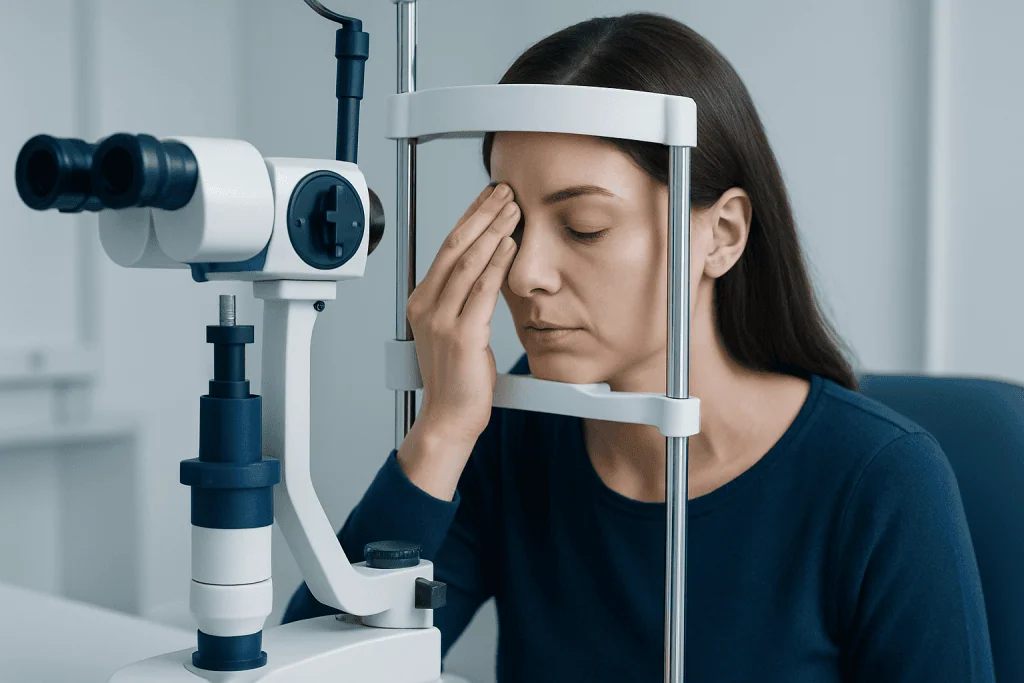
Symptoms vary from person to person and may affect the eyes, vision, head, neck or shoulders. They often build gradually during the day, especially during uninterrupted screen use, and may feel worse in dry indoor environments or under bright office lighting.
Common symptoms include:
- Eye tiredness, heaviness or aching
- Dry, burning, gritty or watery eyes
- Blurred or fluctuating vision
- Difficulty focusing from near to far objects
- Headache, especially around the forehead or temples
- Light sensitivity or discomfort from glare
- Neck, shoulder or upper back discomfort related to posture
Watery eyes may seem surprising, but they can happen when dryness irritates the eye surface and triggers reflex tearing. Blurred vision that clears after blinking or resting may also suggest dryness or focusing fatigue. If blurred vision does not improve, occurs suddenly or affects only one eye, medical advice is important.
Causes and Risk Factors

Digital eye strain usually results from a combination of factors rather than one single cause. Reduced blinking is one of the most common contributors. During focused screen tasks, blink rate often decreases and incomplete blinks become more frequent, allowing the tear film to evaporate faster. This can make the eyes feel dry, scratchy or irritated.
Visual demand also matters. Small text, low contrast, poor screen resolution, long reading sessions and multitasking between several screens can increase focusing effort. Uncorrected nearsightedness, farsightedness, astigmatism or presbyopia can make symptoms worse because the eyes work harder to maintain clear vision. Contact lens wearers may notice more dryness during extended screen use.
Environmental and ergonomic factors can add to the problem. These include glare from windows or overhead lights, a screen that is too close or too high, air conditioning, low humidity and poor seating posture. People who spend many hours on screens for work, study, gaming or entertainment are more likely to experience symptoms, especially if they do not take regular breaks.
Blue light is often discussed in relation to screen use. Current evidence does not show that everyday screen-related blue light is the main cause of digital eye strain or that it damages the retina in typical use. Some people find blue-light or warm-tone settings more comfortable, especially at night, but glare control, breaks, blinking and correct vision correction remain more important prevention steps.
Diagnosis and Eye Evaluation
Digital eye strain is usually diagnosed through a discussion of symptoms, screen habits and a comprehensive eye examination. An eye care professional may ask how many hours a person uses screens, what types of devices are used, whether symptoms improve on weekends or holidays, and whether there are associated headaches, dryness or neck pain.
An eye exam can check visual acuity, focusing ability, eye alignment, refractive error and the health of the eye surface. For people over 40, presbyopia, the age-related difficulty with near focus, may contribute to symptoms. A prescription designed for everyday distance vision may not always be ideal for prolonged computer distance work.
If dryness is prominent, the clinician may assess the tear film and eyelids. Dry eye disease, allergies, blepharitis and certain medications can overlap with digital eye strain. Identifying these factors is useful because treatment may require more than screen adjustments, such as lubricating eye drops, eyelid care or changes in the work environment.
Prevention Tips for Screen Users
The most effective prevention plan combines regular breaks, screen setup, lighting control and eye comfort habits. A simple starting point is the 20-20-20 approach: about every 20 minutes, look at something around 20 feet away for about 20 seconds. This relaxes focusing muscles and reminds the user to blink. Some people also benefit from standing, stretching or walking briefly during longer work sessions.
Screen position should support both eye comfort and posture. The screen is usually most comfortable at about arm’s length, with the top of the monitor at or slightly below eye level. This allows a slight downward gaze, which may reduce exposed eye surface and help with dryness. Text should be large enough to read without leaning forward, squinting or raising the chin.
Lighting should be balanced, not too dim and not too bright. Glare from windows, glossy screens and overhead lights can increase symptoms. Positioning the screen perpendicular to windows, using blinds, reducing harsh reflections and adjusting screen brightness to match the room can help. Anti-glare screen filters may be useful in some settings, but they are not a substitute for appropriate lighting and breaks.
Practical habits that often help include:
- Blinking fully and consciously during screen tasks
- Using preservative-free artificial tears if recommended by an eye care professional
- Increasing font size and contrast for long reading tasks
- Keeping screens clean and free of smudges
- Avoiding a fan or air vent blowing directly toward the face
- Using updated prescription glasses or computer-specific lenses when advised
Treatment and Self-Care Options
Treatment depends on the main cause of symptoms. If the issue is mostly fatigue from long screen sessions, improved breaks, better posture and environmental changes may be enough. If a refractive error or presbyopia is present, updated glasses, contact lenses or computer-specific lenses may reduce the effort needed to see clearly at screen distance.
For dryness, lubricating eye drops may provide relief, especially during long workdays or in air-conditioned spaces. It is best to ask an eye care professional which type is suitable, particularly for people who wear contact lenses or use drops frequently. Persistent dryness may need evaluation for dry eye disease, eyelid inflammation or other contributing conditions.
Neck and shoulder discomfort often improves when the workstation is adjusted. The chair should support the lower back, feet should rest comfortably on the floor or a footrest, and the keyboard and mouse should allow relaxed shoulders and elbows close to the body. Laptop users may benefit from using a separate keyboard and mouse with the laptop raised to a better viewing height.
Sleep habits are also important. Screen use close to bedtime can delay sleep for some people, especially when it is mentally stimulating or brightly lit. Reducing brightness, using night settings and setting a screen-free wind-down period may support better sleep, which in turn can reduce eye fatigue and headache susceptibility.
When to See a Doctor
A person should arrange an eye examination if symptoms are frequent, interfere with work or study, or do not improve with sensible screen adjustments. Regular eye exams are especially important for people who wear glasses or contact lenses, have diabetes, have a history of eye disease, or notice changes in vision.
Prompt medical attention is needed for sudden vision loss, new double vision, eye pain, significant redness, light sensitivity with pain, flashes of light, many new floaters or symptoms after an eye injury. These symptoms may be unrelated to digital eye strain and should not be ignored.
Children and teenagers can also experience screen-related discomfort. Parents may notice squinting, rubbing eyes, headaches, reduced concentration or holding devices very close. A pediatric or general eye examination can check for vision problems that may affect reading, schoolwork and screen use.
For international patients seeking evaluation, Acibadem International’s multidisciplinary specialists and JCI-accredited hospitals can diagnose and treat eye and vision concerns, including symptoms related to digital screen use. Any care plan should be individualized after examination by a qualified clinician.
Frequently asked questions
Is digital eye strain the same as computer vision syndrome?
Yes. Digital eye strain and computer vision syndrome are often used to describe the same group of symptoms linked to extended screen use. The term digital eye strain is broader because symptoms can occur with phones, tablets, gaming devices and other displays, not only computers.
Can digital eye strain permanently damage the eyes?
Digital eye strain is usually uncomfortable but not a sign of permanent eye damage. Symptoms often improve with rest, better screen habits and proper vision correction. However, persistent or unusual symptoms should be evaluated to rule out other eye conditions.
Do blue-light glasses prevent digital eye strain?
Blue-light glasses may feel comfortable for some users, but current evidence does not show that blue light is the main cause of digital eye strain. Glare, reduced blinking, dry eyes, long focusing time and poor ergonomics are more common contributors. Breaks, screen positioning and an updated prescription are usually more important.
How often should screen users take breaks?
Many eye care professionals recommend the 20-20-20 habit: every 20 minutes, look at something about 20 feet away for about 20 seconds. Longer breaks, stretching and movement are also helpful during extended work sessions. The goal is to relax focusing muscles, encourage blinking and reduce posture-related discomfort.
Why do eyes feel dry when using screens?
People tend to blink less often and less completely when concentrating on screens. This allows the tear film to evaporate more quickly, causing burning, grittiness or watering. Dry indoor air, contact lenses, air conditioning and certain medical conditions can make this worse.
When should a child have eye symptoms checked?
A child should be checked if they frequently complain of headaches, blurred vision, eye pain, dry eyes or difficulty reading, or if they hold devices very close. Squinting, rubbing the eyes or losing concentration during near work can also be signs of a vision issue. An eye care professional can assess whether glasses, habit changes or further care are needed.
References
- American Academy of Ophthalmology
- American Optometric Association
- World Health Organization
- National Eye Institute
- Mayo Clinic
This article is for general information only and is not a substitute for professional medical advice. Please consult a qualified doctor about your individual situation.
Joint and spine care in Turkey — expert assessment & treatment
JCI-accredited · board-certified surgeons · reply within 24h

More from the Health Library



Related Specialists

Assoc. Prof. Dr. Cem Köz
Cardiology
Prof. Dr. Süda Tekin
Infectious Diseases & Clinical Microbiology
Dr. Zühre Esra Kıvanç
Inpatient Clinic Physicians Clinical Service
Prof. Dr. Kağan Tun
Neurosurgery