

At Acibadem, How to Send Medical Records Securely from Abroad

The most secure way to send medical records from abroad is through an official hospital portal or an encrypted upload link provided by the international patient team, not an open email attachment. Gather recent, relevant documents, name files clearly, use a private internet connection, verify the recipient before sending, and keep your own copies. Email works only when the address is verified and files are protected.
Getting your scans and reports to a hospital in another country is usually the first practical task when you plan treatment abroad. Done carelessly, it exposes sensitive health data and creates confusion. Done well, it takes an afternoon and makes everything that follows faster.
This guide explains how to send medical records securely from abroad: what to gather, which transfer methods are genuinely safe, what the law broadly says about email, how imaging files behave differently from paper reports, and what happens at Acibadem once your files arrive. It is written for patients sending records from any country, on any device, with no technical background assumed.
At a glance
- Best for: Patients sharing reports, scans and medical history with a hospital abroad before travel
- Main goal: Protect your health data while giving the clinical team readable, complete files to review
- Safest method: An official patient portal or encrypted upload link provided by the international patient team, not open email attachments
- What to prepare: Recent reports, original imaging files (DICOM where possible), a medication list, and one clear cover note
- Avoid: Public Wi-Fi, unverified addresses, random file-sharing services, and documents unrelated to your treatment
- Keep: Copies of everything you send, both digital and paper, for your own records and your trip
Why secure record sharing matters before you travel
Your medical records are the foundation of everything a hospital abroad does for you before you arrive. They tell the clinical team what your diagnosis is, what treatment you have already had, which medicines you take, what you are allergic to, and whether further tests will be needed after arrival. Complete records sent early make your first consultation more useful and can reduce delays once you reach Turkey.
Those same records are also among the most sensitive documents you own. A rushed message to a mistyped address, an unprotected file uploaded through an unofficial link, or a folder shared over airport Wi-Fi can put private health information where it does not belong. Learning how to send medical records securely from abroad is not a technical specialism: it is a short list of habits that anyone can follow.
There is a second reason to take care, and it has nothing to do with privacy. Disorganised records slow down clinical review. When a specialist receives forty unlabelled files in three languages, the first hours of review are spent sorting rather than assessing. Security and clarity go together: the same discipline that protects your data also helps the team understand it.
What records you usually need to send
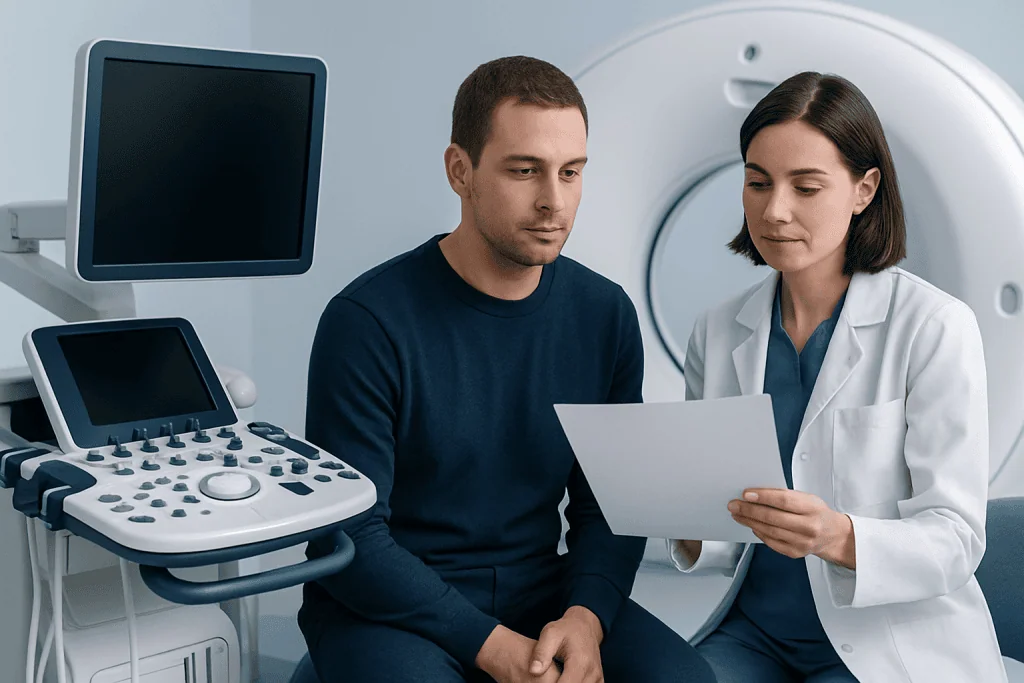
Before you upload anything, spend a few minutes deciding what actually belongs in the package. In most cases the care team does not need every document you have ever accumulated. It needs the most recent and most relevant material: the records that explain your current condition and the care you have already received for it.
A practical set usually includes your referral letter or recent clinic notes, current blood tests, imaging reports, pathology reports where relevant, discharge summaries from any hospital stays, and an up-to-date medication list with doses and frequency. If you have had surgery, the operation note is valuable. If you live with a long-term condition, a short summary letter from your current doctor gives the reviewing specialist context that individual test results cannot.
- Recent doctor notes or a referral letter related to your current condition
- Laboratory results and pathology reports
- Radiology reports and the original imaging files where possible
- Discharge summaries and operation notes from previous treatment
- Medication list with dose and frequency, plus allergy information
- Passport or ID page only if the hospital specifically requests it for identification
Imaging deserves special attention. A written MRI or CT report is a summary of what one radiologist saw; the specialist planning your treatment will often want to review the original images directly. If your local provider gave you a CD, USB stick or an online radiology login, ask them how to export the images in DICOM format: the standard used by radiology systems worldwide. A photograph of a scan on a lightbox, or a screenshot from a viewer, is rarely adequate. For a fuller breakdown of which documents matter for which situations, see what to include when sending medical records to a hospital in Turkey. If you are seeking a review of an existing diagnosis rather than planning agreed treatment, the record set differs slightlythis guide to second opinions explains how.
The safest ways to send medical records securely from abroad

Official portals and encrypted upload links come first
The most secure way to send medical records is through an official hospital portal, secure upload page, or encrypted file-transfer link issued directly by the international patient team. These channels exist precisely for this task: they encrypt files in transit, accept large uploads, and deliver documents straight into the hospital’s system rather than into a shared inbox. If Acibadem provides you with a specific channel, use that channel rather than a file-sharing service you chose yourself. A consumer cloud link may be convenient, but you cannot control who else can open it, how long it stays live, or where the data sits.
If email is the only option, reduce the risk deliberately
Email is sometimes the only practical route, and it can be used with care. Confirm the exact address from the hospital’s official website or from a coordinator you have already been dealing with, not from a forwarded message or a search result. Do not scatter your records across several addresses “to be safe”; that multiplies the chance of error rather than reducing it. If you password-protect a document, send the password through a different channel, a phone call or a separate message, so that intercepting one message does not unlock the other.
Mind the connection and the device
Avoid uploading records over public Wi-Fi in airports, cafés and hotels, where traffic can be observed on shared networks. Use your home connection, a trusted private network, or your own mobile data. Before sending anything, check the basics on your device: a screen lock, current software updates, and antivirus protection where relevant. These small steps close the gaps most likely to be exploited.
Large imaging files need a plan, not improvisation
Full DICOM studies routinely run to hundreds of files and will not fit through ordinary email. Do not split them across random services. Ask in advance whether there is a size limit or a preferred method, hospitals that regularly receive international patients usually have an approved route for large radiology uploads.
Can you legally send medical records by email?
In most countries, yes: there is generally no law that forbids a patient from emailing their own medical records. Your records belong to you in the sense that matters here: you are entitled to copies and free to share them with a hospital of your choosing. The legal frameworks people worry about, such as the GDPR in Europe or HIPAA in the United States, primarily regulate how organisations handle patient data, not how patients handle their own.
Legal, however, is not the same as wise. Ordinary email is not designed for sensitive documents: messages can be misaddressed, forwarded, or sit unencrypted on intermediate servers. That is why the practical advice throughout this guide points to secure portals first and email only as a fallback, with a verified address and protected attachments. The same logic applies to identifiers such as a medical record number (MRN): on its own an MRN reveals little, but combined with your name and clinical details it becomes part of your identifiable health data, so treat any message containing it with the same care as the records themselves. How your data is handled once it reaches Turkey is governed by Turkish data-protection law and hospital consent proceduresthis guide to medical records privacy in Turkey explains consent, sharing and your rights in detail.
Do medical records transfer internationally on their own?
No. There is no global system that moves your health record automatically from one country’s hospitals to another’s. Electronic health records are national or regional at best, and usually confined to a single health system. If a hospital in Turkey is going to see your history, it will be because you, or someone acting for you, requested copies from your local providers and sent them across.
This surprises many patients, and it changes the timeline. Requesting copies from your own clinic or hospital can take days or weeks depending on your country’s rules, so start early. Ask for records in digital form where possible, ask radiology departments specifically for DICOM exports, and ask whether summaries can be issued in English if your provider offers that. The transfer across borders is then simply the secure upload described above; the hard part is usually gathering the material at home, not moving it.
How to organise files so the care team can review them quickly
Security protects your data; organisation protects your time. A specialist reviewing international records receives documents in many formats and languages, and files that are clearly named and grouped make your timeline legible at a glance.
A simple naming system works: your surname, the document type, and the date in one consistent format. “Yilmaz-Pathology-2025-03-14” tells the reviewer everything; “scan1”, “report new” and “final final version” tell them nothing. Group files into a handful of folders, Reports, Imaging, Lab Results, Medications, and add one short cover note listing your main diagnosis, your current concern, and your preferred contact details.
- Use one date format throughout, ideally year-month-day so files sort chronologically
- Do not send duplicates unless asked, one clean copy beats three blurry ones
- Open every file before sending to confirm it is complete and readable
- Put your contact details on a single cover page rather than scattering them
If your records are not in English or Turkish, ask whether translation of the key documents is recommended. You rarely need to translate everything; translating the most important reports first, the pathology report, the most recent imaging report, the discharge summary, usually unblocks the review. A fuller method, with folder templates and naming examples, is set out in how to organise your medical records for a faster review in Turkey.
Privacy checks to make before you press send
Pause before the final click and run a short check. Confirm the recipient is an official contact point and not a copied or misspelled address. If someone contacts you unexpectedly asking for records, verify the request through the hospital’s official website or a number you already know before sending anything, unsolicited requests for medical documents deserve suspicion by default.
Send only what is relevant. Financial documents, unrelated old records, and family members’ personal information do not belong in a treatment-planning submission unless they have been specifically requested for a stated reason. A focused package exposes less of your data and is easier to review.
If you are sending records on behalf of someone else, a parent, spouse or child, ask in advance what consent or identity documents are needed. Requirements depend on the patient’s age and situation, and sorting authorisation out early prevents the review stalling later. Finally, remember that a secure transfer only helps if the files arrive usable: open each attachment one last time and confirm it is the right document, complete, and legible.
What happens after you send your records
Once your records arrive, the first step is administrative: checking that every file opens, that nothing obvious is missing, and that the documents match the patient details given. The relevant department or specialist team then reviews the clinical content and decides what, if anything, is still needed before a treatment plan can be discussed. You can read how that review works in practice in how Acibadem reviews your medical records before giving a treatment plan.
It is common to be asked for something further, clearer scan files, a more recent blood test, an updated medication list, or a translation of one key report. This is normal and does not by itself signal a problem. It usually means the team prefers evidence to assumption, which is exactly what you want from a hospital planning your care.
Keep your originals and copies even after the digital transfer succeeds. Bring a backup set when you travel, imaging discs or cloud access details included, in case the treating team wants to look at anything again in person. Travelling to Turkey with medical records covers what belongs in your hand luggage.
Step by step
- Confirm the official submission channel. Check the official Acibadem International website or confirm with an international patient coordinator exactly where records should go. Use only the approved portal, upload link or verified email address, never a link received from an unverified source.
- Request copies from your local providers early. Records do not transfer between countries automatically. Ask your clinic and radiology department for digital copies, DICOM exports for imaging, and a summary letter if your doctor offers one. Allow time for this step.
- Gather only relevant, recent documents. Focus on what explains your current condition and recent treatment. Quality and relevance beat volume.
- Prepare files in readable formats. Scan paper documents clearly, save reports as PDFs, and confirm imaging files open before you upload them.
- Organise and label everything. Folders by category; file names with surname, document type and date; one cover note with your diagnosis, concern and contact details.
- Secure your connection and device. Send from a private, trusted connection, not public Wi-Fi, on a device with a screen lock and current updates.
- Double-check identity and attachments. Verify the recipient address, open each attachment one final time, and remove anything unrelated. Share any file passwords through a separate channel.
- Watch for follow-up questions. Monitor your email and phone after sending, and reply promptly to requests for missing items so the review keeps moving.
Your checklist
- Verified the official contact point or upload link before sending anything
- Requested copies and DICOM imaging exports from local providers in good time
- Prepared recent reports, scans, test results and a current medication list
- Named files clearly with surname, document type and date in one format
- Used a secure private internet connection on a locked, updated device
- Opened every file to check it is complete and readable
- Removed unrelated or unnecessary personal documents
- Shared any passwords through a separate channel
- Kept digital and paper backups of everything sent
- Prepared translations of the key reports if they are needed
Key takeaways
- An official portal or encrypted upload link is the most secure way to send medical records; email is a fallback, used with a verified address and protected files.
- Records do not transfer between countries automatically: you request copies at home and send them yourself.
- Emailing your own records is generally legal, but ordinary email was not built for sensitive data, so add protection where you can.
- Send the relevant recent documents, not your whole history; clear file names and one cover note speed up clinical review.
- Avoid public Wi-Fi, verify every recipient, and keep backup copies to bring when you travel to Turkey.
Frequently asked questions
What is the most secure way to send medical records?
An official hospital portal or an encrypted upload link issued directly by the international patient team. These channels encrypt files in transit, handle large uploads, and deliver documents into the hospital’s system rather than a shared inbox. Consumer file-sharing links and open email attachments are weaker options because you have less control over who can access the files and for how long.
Can you legally send medical records via email?
In most countries, yes, patients are generally free to share copies of their own records however they choose, and data-protection laws mainly regulate organisations rather than individuals handling their own information. Legality aside, ordinary email is not secure by design, so use a verified address, protect attachments where possible, and prefer a secure portal when one is offered.
Can I send my MRN via email?
A medical record number on its own reveals little, but combined with your name and clinical details it forms part of your identifiable health data. Treat messages containing your MRN with the same care as the records themselves: verified recipient, private connection, and no more detail in the message body than necessary.
Do medical records transfer internationally?
Not automatically. There is no global system linking hospitals across borders. You request copies from your local providers, then send them to the hospital abroad yourself through a secure channel. Requesting copies can take days or weeks depending on your country, so start early.
Do I need to send original imaging files or just the report?
Often both. The written radiology report summarises what one radiologist saw, but specialists planning treatment usually want the original DICOM image files so they can review the scans directly. Ask your local radiology department how to export them, and confirm the files open before you send them.
Should my records be translated into English or Turkish?
Rarely all of them. Translating the key documents first, typically the pathology report, the latest imaging report and any discharge summary, usually unblocks the review. Start with the reports that drive clinical decisions and add others only if they are requested.
What if I am sending records for a family member?
You may need proof of identity, relationship, or the patient’s consent, depending on their age and situation. Ask what authorisation is required before you send anything, so the review is not delayed while paperwork catches up.
What should I do if my scan files are too large to email?
Do not split them across random services. Full imaging studies routinely exceed email limits, and hospitals that receive international patients have approved methods for large radiology uploads. Ask in advance which route to use and whether there is a size limit.
Add us as a Preferred Source to see more of our trusted health content across Google Search, AI Overviews and Discover.

Update history
- PublishedAugust 21, 2026
- Medical review approvedSeptember 13, 2026
- Last content updateSeptember 12, 2026
References1
- Personal health records and patient portals: MedlinePlus medlineplus.gov
More Patient Guides
CyberKnife Radiosurgery in Turkey: Candidacy, Treatment Schedule, and Travel Plans
CyberKnife radiosurgery in Turkey involves eligibility review, several planning steps and short outpatient visits; international patients can arrange care in Istanbul.

Traveling to Turkey for Biopsy Review: What Happens Before Treatment Is Confirmed
Biopsy review in Turkey helps confirm your diagnosis before treatment, using pathology slides, reports and specialist assessment in Istanbul.

Flying to Turkey with Recent Scan Results: How to Organize Reports and Images
Organize recent scan results for travel to Turkey by bringing reports, original image files, dates, and a clear medical summary for your…

Complications During Treatment Abroad: How International Patients in Turkey Can Prepare
Complications during treatment abroad can be managed with planning, clear contacts and follow-up support for international patients in Turkey.