My Chart: What Patients Need to Know

My chart is an online patient portal connected to a healthcare system’s electronic medical record. Common features include viewing test results, appointments, medications, visit summaries, and secure messages.
Key Takeaways
- My chart is an online patient portal connected to a healthcare system’s electronic medical record.
- Common features include viewing test results, appointments, medications, visit summaries, and secure messages.
- Not every result is explained automatically, so unusual findings should be discussed with a qualified clinician.
- Patient portals improve convenience, but they do not replace emergency care or in-person medical evaluation when needed.
- Privacy and account security matter; strong passwords and careful device use can help protect personal health information.
My chart is a secure online patient portal that lets patients see parts of their medical record, communicate with care teams, and manage common healthcare tasks in one place. While features vary by hospital or clinic, most platforms are designed to make routine care more convenient and transparent.
Overview: what my chart means for patients
My chart usually refers to a secure online patient portal offered by a hospital, clinic, or health network. It gives patients digital access to selected parts of their health information, such as appointments, test results, medication lists, visit summaries, billing details, and messages from the care team. Many systems also offer mobile apps, making it easier to manage care from a phone or tablet.
Although the name is often written as “MyChart” by specific health systems, people also search for “my chart” more generally when they want to understand how patient portals work. The exact layout and features can differ between organizations, but the main goal is similar: to help patients stay informed, organized, and more actively involved in their care.
For many people, the portal becomes a central place to review recent care. It may show after-visit instructions, vaccine records, allergies, and upcoming appointments. Some systems also allow online check-in, prescription renewal requests, family proxy access, and options for video visits.
What patients can usually do in my chart
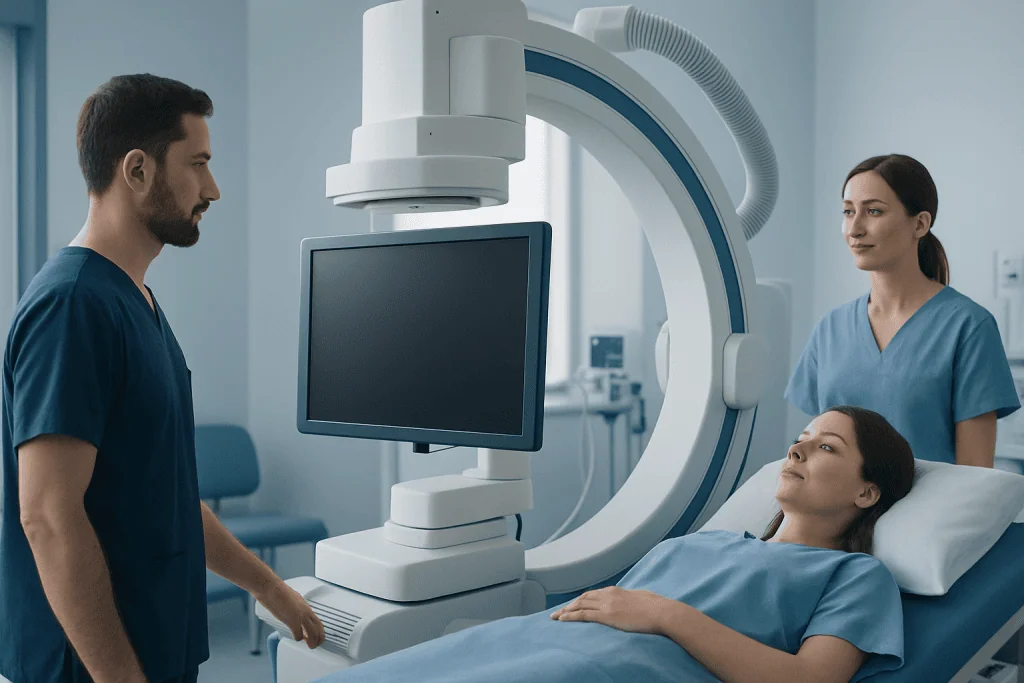
Most patient portals are built to support everyday healthcare tasks. Instead of calling the clinic for routine questions, a patient may be able to log in and find the needed information directly. This can save time and make it easier to keep track of ongoing care, especially for people seeing more than one specialist.
Common features often include:
- Viewing laboratory and imaging results
- Reading visit notes or after-visit summaries
- Checking medication and allergy lists
- Requesting prescription refills
- Sending non-urgent messages to the care team
- Scheduling or confirming appointments
- Reviewing billing statements or making payments
- Joining telehealth visits when available
Some portals also help patients prepare for procedures, complete questionnaires, or upload home readings such as blood pressure or blood sugar logs. When a patient is receiving ongoing treatment, the portal can make follow-up more organized by keeping communication and records in one place.
These tools can be especially useful during evaluation for chronic conditions or specialist care. For example, a portal may help someone track referrals for heart-related conditions or prepare for a diagnostic test before MRI imaging.
Benefits and limits of using a patient portal

The main benefit of my chart is convenience. Patients can review information at any time, which may improve understanding of their care plan and reduce missed details after a visit. Having direct access to records can also help patients notice questions they want to raise at the next appointment.
Another advantage is continuity of care. When patients can quickly see medication names, past procedures, or recent results, they may be better able to share accurate information with different clinicians. This can be helpful for people with long-term conditions, frequent testing, or complex treatment plans.
At the same time, patient portals have limits. A lab result may appear before a doctor has had time to review it with the patient. Numbers outside the normal range do not always mean disease, and a “normal” result does not always explain symptoms. Results need to be interpreted in context, including age, medical history, symptoms, and other findings.
Portals also do not replace emergency services. A secure message is not the right way to seek urgent help for severe symptoms. In addition, not all medical records from outside hospitals automatically appear in one account, so patients may still need to request records or bring documents to appointments.
Understanding test results, visit notes, and medical terms
One of the most common reasons people log into my chart is to check test results. This can be helpful, but it can also be confusing if the report includes technical language. Many reports are written for clinicians and may use abbreviations, reference ranges, or wording that sounds more serious than it is.
A result marked “high” or “low” does not necessarily mean a person is ill. Reference ranges are based on large groups, and some healthy people fall slightly outside them. On the other hand, symptoms still matter even when results look normal. This is why the best next step is often to review findings with the clinician who ordered the test.
Imaging reports can be especially hard to interpret without guidance. Terms such as “incidental finding,” “mild degenerative change,” or “clinical correlation recommended” are common and do not always indicate a major problem. If a report is unclear, patients can ask what the finding means, whether follow-up is needed, and what changes in daily life or treatment might help.
Some portals display pathology, imaging, or specialist reports from advanced services such as CT scan evaluations or preventive health check-up programs. Reading these records can support informed discussions, but it is safest to rely on a qualified clinician for interpretation rather than drawing conclusions from the wording alone.
Privacy, security, and sharing access safely
Because my chart contains sensitive health information, privacy and security are important. Reputable patient portals use secure login systems and encrypted data transfer. Even so, patients play an important role in protecting their account by choosing a strong password, keeping devices updated, and logging out after use on shared computers.
It is wise to be cautious with email links and text messages that appear to come from a hospital. If there is any doubt, it is safer to go directly to the official hospital website or app rather than clicking a link. Two-factor authentication, when available, adds another layer of protection.
Many systems allow proxy access for parents, caregivers, or adult family members. This can be very useful for children, older adults, or patients who need support managing appointments and medications. However, access rules can change with age, local law, and the type of information involved, especially for adolescent or reproductive health records.
Patients should also consider privacy in everyday settings. Notifications on a lock screen, saved passwords on a shared phone, or printing records in a public place can expose personal information. Taking a few simple precautions can make portal use safer and more comfortable.
How to use my chart more effectively
Using the portal well can make care more efficient. Before an appointment, patients may wish to review recent results, write down symptoms, and prepare questions. After the visit, checking the after-visit summary can help confirm instructions about medicines, follow-up tests, or lifestyle recommendations.
Secure messaging works best for non-urgent issues. A clear message usually includes the main question, how long the issue has been present, any important changes, and whether the patient has already tried anything. Short, specific questions are often easier for a care team to answer accurately than several unrelated concerns in one message.
It can also help to keep profile information up to date. Correct contact details, pharmacy information, allergies, and medication lists improve communication and reduce avoidable errors. If something in the chart looks wrong, the patient can ask the clinic how to request a correction or clarification.
When a more detailed evaluation is needed, portal information may help patients organize next steps, such as referrals, imaging, or specialist visits. Near the end of the care pathway, some international patients may choose centers such as Acibadem International, where multidisciplinary specialists in JCI-accredited hospitals evaluate and treat a wide range of conditions using coordinated diagnostic and treatment services.
When to seek medical care
My chart is helpful for routine communication, but some situations need direct medical attention. Patients should contact their doctor promptly if they have new symptoms, worsening symptoms, unexpected medication side effects, or test results they do not understand. A portal message may be appropriate for non-urgent questions, but a phone call is often better when timing matters.
Urgent or emergency symptoms should not wait for an online reply. Immediate medical care is important for chest pain, severe shortness of breath, signs of stroke, major bleeding, fainting, severe allergic reactions, or sudden severe pain. If a person thinks they may be having a medical emergency, they should seek emergency services right away.
Patients should also arrange medical review if portal information seems incomplete or conflicting, or if care from different providers is not lining up clearly. Ongoing symptoms deserve attention even when the portal shows reassuring results. Clinical decisions are based on the whole picture, not only on a screen.
For people navigating specialist evaluations, portal tools may support follow-up for concerns involving neurologic conditions or other complex health issues. Still, the portal should be viewed as a support tool rather than a substitute for professional assessment and personalized medical advice.
Frequently asked questions
Is my chart the same at every hospital?
No. “My chart” is often used as a general term for a patient portal, but features vary by hospital or clinic. One system may offer online scheduling and video visits, while another may focus mainly on results, visit summaries, and secure messaging.
Can patients see all of their medical records in my chart?
Usually not all records appear in one place. Most portals show selected parts of the electronic health record from that organization, and outside records may not transfer automatically. Patients may still need to request documents from other providers.
Why do test results appear before the doctor explains them?
Many healthcare systems release results automatically to support transparency and timely access. This can be useful, but it may also cause confusion if the report uses technical language. If a result is unclear, the safest step is to discuss it with the clinician who ordered the test.
Is it safe to send medical questions through my chart?
It can be safe for non-urgent questions when the portal is an official, secure system. However, it is not appropriate for emergencies or severe symptoms that need immediate attention. Patients should also avoid sending highly sensitive information through unofficial email or text.
Can a family member help manage a patient’s my chart account?
Often yes, through proxy access or caregiver access. This allows an approved person to help with appointments, messages, and medication lists. The exact rules depend on the patient’s age, consent, local law, and the policies of the healthcare organization.
What should a patient do if something looks wrong in the portal?
They should contact the clinic or health records department and ask how to request a correction or clarification. It helps to be specific about what seems inaccurate, such as a medication, allergy, or date. Keeping records accurate supports safer care.
This article is for general information only and is not a substitute for professional medical advice. Please consult a qualified doctor about your individual situation.
Explore treatments in Turkey — costs, top hospitals & a free quote
JCI-accredited · board-certified surgeons · reply within 24h
Add us as a Preferred Source to see more of our trusted health content across Google Search, AI Overviews and Discover.
Check your numbers in seconds
BMI, calories, due date, blood pressure and 30+ more clinical calculators — free, instant, doctor-reviewed ranges.

More from the Health Library

Mustard Oil Benefits: An Evidence-Based Guide for Patients

Winking of Left Eye — Explained by Medical Evidence, Not Myths

Hemodialysis: An Evidence-Based Guide for Patients

Catastrophizing: What Patients Need to Know

Ag1 Reviews — Explained by Medical Evidence, Not Myths