

Requesting DICOM Images After a Scan in Turkey

You can request your DICOM images after a scan in Turkey by asking the imaging center or hospital for the standard digital files from your CT, MRI, X-ray, or other radiology study. At Acibadem, imaging data are typically prepared for secure sharing or download with the related report, helping patients keep copies for follow-up care, second opinions, or treatment planning.
If you have had an MRI, CT, PET-CT, ultrasound, angiography or other imaging scan in Turkey, you may need the original DICOM files for your doctor at home. This guide explains how to request them, what to bring, how delivery usually works, and how Acibadem International can support you before you travel.
At a glance
- What to request: Original DICOM images plus the written radiology report
- Where to ask: Imaging records desk, radiology unit or international patient office
- Common formats: CD, DVD, USB drive or secure digital transfer where available
- Bring with you: Passport or ID, scan date, hospital number and authorization if requesting for someone else
- Best timing: Request before leaving the hospital or at least before departing Turkey
What DICOM images are and why they matter
DICOM is the standard format used for medical imaging. When you have a CT, MRI, PET-CT, mammography, angiography or many other scans, the original image set is usually stored as DICOM files. These files are different from a screenshot or a printed film because they contain the full image series and technical information that a radiologist or specialist may need to review your scan properly.
If you are an international patient, requesting DICOM Images after a scan in Turkey can make your follow-up easier when you return home. Your doctor may want to compare your Turkish scan with previous or future scans, review measurements, plan treatment, or share the images with another specialist. A written report is helpful, but it may not replace the original images when a second opinion or treatment planning is needed.
At Acibadem International, international patient teams can help you understand which imaging records to request and where to collect them. The goal is simple: you leave Turkey with the right files, in a usable format, and with enough documentation for your home medical team.
What you should ask for before leaving the hospital
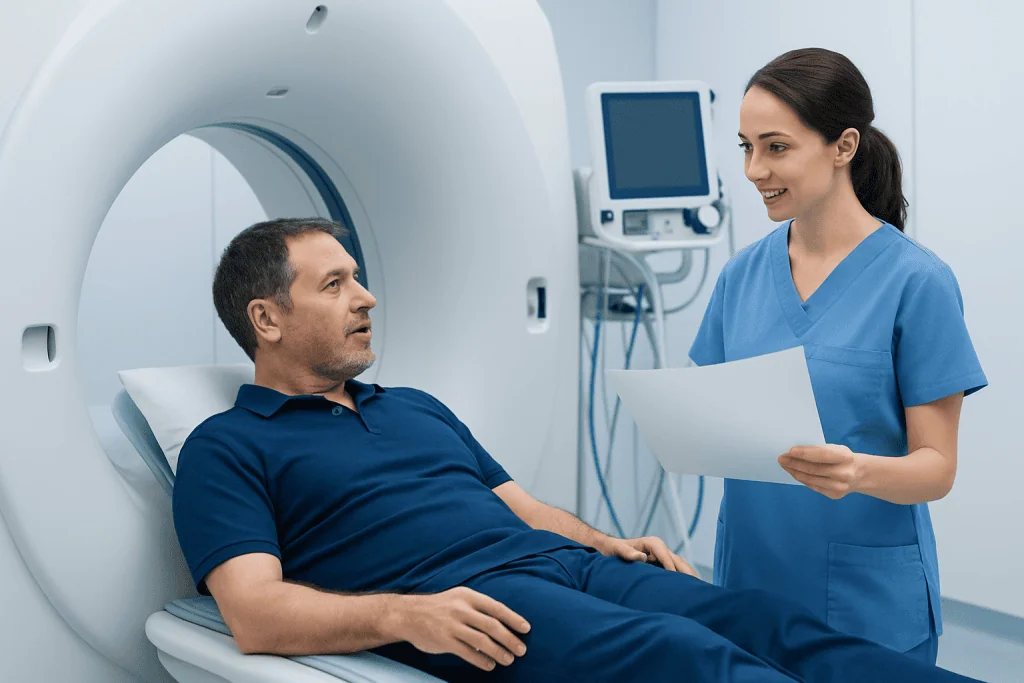
When you speak with the radiology desk or international patient coordinator, be specific. Ask for the original DICOM images and the official radiology report. If your scan involved multiple body areas, contrast phases, or separate appointments, mention that you need the complete set, not only selected images.
It is also useful to ask how the files will be delivered. Many hospitals can provide a CD or DVD, and some may offer USB transfer or a secure online link depending on their systems and data protection rules. If you are traveling soon, tell the staff your departure date so they can advise what is realistic.
- Ask whether the disc or drive includes a DICOM viewer for doctors who do not have imaging software.
- Check that your name, date of birth and scan date are correct on the label or file record.
- Request the written report in English if available, or ask whether a translated report can be arranged.
- If you had several scans, list each one clearly: MRI brain, CT chest, PET-CT, ultrasound, X-ray and so on.
Where to request DICOM files in Turkey

In most Turkish hospitals, imaging records are handled by the radiology department, medical records office, patient registration desk or international patient services. If you are unsure where to go, start with the international patient office or the unit that arranged your scan. They can direct you to the correct desk and help with language support if needed.
At JCI-accredited hospitals such as Acibadem, imaging records are managed under privacy and patient safety processes. This means staff may need to verify your identity before releasing files, even if you are in a hurry. The verification step protects your medical information and helps ensure that the images are released to the correct person.
If someone else is collecting the records for you, such as a companion, family member or medical assistant, the hospital may ask for written authorization and identification from both people. Requirements can vary, so it is best to confirm early rather than waiting until the day of your flight.
Documents and details to have ready
Having the right details ready can save time. Bring your passport or national ID, your hospital registration number if you have one, the date of the scan, and the name of the imaging test. If you do not remember the exact name, describe the body area and the department that sent you for the scan.
If you are requesting records after you have already left Turkey, you may be asked to send a signed request form, a copy of your ID and contact details. Some hospitals may accept requests by email through an official records or international patient channel, while others may require additional verification. Avoid sending sensitive medical information through informal messaging apps unless the hospital specifically directs you to a secure process.
For children or dependent adults, the hospital may need proof that you are the parent, legal guardian or authorized representative. If the patient is an adult who cannot request the files personally, ask the hospital what consent documents are required.
How to check that your DICOM files are usable
Before you leave the hospital, ask whether the CD, USB or link can be checked. You do not need to interpret the images yourself, but you can confirm that the disc opens, the patient name is correct, and the scan list appears. If possible, do this while you are still on site so any problem can be fixed quickly.
DICOM files may appear as folders with technical file names rather than ordinary pictures. That is normal. Do not rename or rearrange the files unless your doctor instructs you to do so, because some viewers rely on the original folder structure. If a viewer program is included, it may be designed for Windows; your doctor or hospital at home may prefer to import the DICOM folder directly into their own system.
If you receive a secure link, check how long the link will remain active and whether a password or verification code is needed. Forwarding the link to your doctor may not always work if it is tied to your identity, so ask the hospital how best to share it with a healthcare provider.
Sharing images with your doctor at home
When you return home, contact your doctor or clinic before sending large imaging files. Some clinics use patient portals, imaging upload platforms or hospital PACS systems. Others may ask you to bring the CD or USB to your appointment. DICOM studies can be large, so ordinary email is usually not suitable.
Send the written radiology report together with the DICOM files whenever possible. The report summarizes the findings from the radiologist who reviewed the scan in Turkey, while the DICOM images allow your home team to review the original study if needed. If your report is in Turkish, ask your receiving clinic whether they need an English translation.
Acibadem International can often guide you on the practical side of record handover, especially if you are coordinating onward care abroad. While your home doctor will decide what is medically necessary, having complete imaging records helps reduce delays and repeated requests for documents.
Privacy, timing and practical travel tips
Your imaging files are part of your medical record, so hospitals must handle them carefully. Identity checks, consent forms and official release channels may feel inconvenient when you are preparing to travel, but they are there to protect your privacy. Plan a little extra time after the scan, especially if your report is not finalized immediately.
Keep your imaging disc or USB in your hand luggage rather than checked baggage. Avoid exposing it to extreme heat, bending, scratching or magnetic damage. If you receive a paper envelope with a disc, do not fold it, and consider taking a photo of the label for your own reference.
If you are having several appointments in Istanbul or another Turkish city, tell your patient coordinator that you need all imaging records gathered before departure. For international patients, this small step can prevent a stressful last-minute visit to the hospital on the day of travel.
Step by step
- Tell your coordinator you need DICOM files. Mention this before or immediately after your scan, especially if you are traveling home soon. Your coordinator can direct you to the correct radiology or records desk and help with interpretation if needed.
- Request both images and the report. Ask for the original DICOM image set and the official written radiology report. If you had more than one scan, list each scan clearly so nothing is missed.
- Show your identification. Bring your passport or ID and any hospital registration number you were given. If you are collecting records for another person, ask in advance what authorization documents are required.
- Choose the available delivery method. The hospital may provide a CD, DVD, USB drive or secure digital link, depending on its system. Ask whether a viewer is included and whether the files are in original DICOM format.
- Check the file before leaving. If possible, ask staff to confirm that the disc, drive or link opens and contains the correct scan. Check your name, date of birth and scan date on the label or document.
- Protect the records during travel. Keep physical media in your hand luggage and avoid damaging the disc or USB. Store passwords and access instructions separately but securely.
- Ask your home clinic how to upload them. Do not rely on regular email for large DICOM files. Your home clinic may have a portal, imaging upload system or a preferred method for importing external scans.
Your checklist
- Passport or official ID
- Hospital registration number, if available
- Date and type of scan
- Name of the referring doctor or department
- Request for original DICOM images
- Request for the written radiology report
- Authorization letter if collecting for someone else
- Secure place in hand luggage for CD, DVD or USB
- Contact details for your home doctor or clinic
Key takeaways
- DICOM files are the original medical imaging files, not just pictures or printed films.
- Ask for both the DICOM images and the written radiology report before leaving the hospital.
- You may need ID and written authorization if someone else collects the records for you.
- Check the disc, USB or secure link while you are still on site whenever possible.
- Keep imaging records secure during travel and ask your home clinic how they prefer to receive them.
Frequently asked questions
Can I get DICOM images on the same day as my scan in Turkey?
Often, the image files can be prepared shortly after the scan, but timing depends on the hospital workflow and the type of study. The written radiology report may take longer because it must be reviewed and finalized. If you have a flight or transfer planned, tell the international patient team as early as possible.
Is a radiology report enough, or do I really need the DICOM files?
The report is important because it summarizes the radiologist's findings. However, your doctor at home may also need the original DICOM images to review details, compare with other scans, or plan treatment. For international follow-up, it is safest to request both.
Can Acibadem International help me request my imaging records?
Yes, Acibadem International patient services can guide you to the correct department and help with communication, interpretation and practical coordination. They can explain what identification or authorization is needed. Medical decisions about how the images are used will remain with your treating doctors.
What if I already left Turkey without my DICOM images?
Contact the hospital or international patient office where the scan was performed. You may be asked to complete a records request and provide identification for privacy verification. Processing and delivery options vary, so allow extra time and avoid waiting until your next appointment if possible.
Can DICOM files be emailed to my doctor?
DICOM studies are often too large for standard email, and email may not be secure enough for medical records. Many clinics prefer a secure upload link, patient portal, imaging platform, CD or USB. Ask both the Turkish hospital and your home clinic which method is acceptable.
Will the DICOM disc work on my computer?
Some discs include a basic viewer, but compatibility can vary by computer and operating system. You do not usually need to view the images yourself; your doctor or radiology department can import the DICOM files into professional software. Avoid changing the file names or folder structure.
Can I request DICOM images for a family member?
Usually yes, but the hospital may require written authorization and identification from both you and the patient. For children, guardianship or parental documentation may be requested. Ask the records office in advance so collection is not delayed.
Add us as a Preferred Source to see more of our trusted health content across Google Search, AI Overviews and Discover.
More Patient Guides

At Acibadem, How to Prepare for Blood Tests, Scans, and Pre-Op Checks
Blood tests, scans, and pre-op checks at Acibadem in Turkey help confirm you are ready for treatment and avoid delays on the…
8 min read
Medical Test Results in Turkey: How to Understand the Next Step in Your Plan
Medical test results in Turkey usually lead to a clear next-step plan: review findings, confirm urgency, ask for copies, and arrange follow-up…
8 min read
Blood Tests and Scans Before Treatment in Turkey: Why They May Be Repeated
Blood tests and scans before treatment in Turkey may be repeated to confirm safety, compare methods, and meet hospital standards before your…
9 min read