Patient Portals Explained: Test Results, Messages, and Online Appointments

Patient portals are secure websites or apps connected to a healthcare provider’s electronic health record system. They can help patients review test results, request appointments, refill medications, and send non-urgent messages.
Key Takeaways
- Patient portals are secure websites or apps connected to a healthcare provider’s electronic health record system.
- They can help patients review test results, request appointments, refill medications, and send non-urgent messages.
- Portals improve convenience, but urgent symptoms or emergencies should still be handled by phone or emergency services.
- Not every result is easy to interpret, so follow-up with a doctor is still important.
- Using strong passwords and checking notifications can help patients use portals safely and effectively.
Patient portals are secure online tools that help people manage parts of their healthcare from a computer or phone. They commonly provide access to test results, appointment scheduling, billing information, and messaging with a care team.
Overview: What a Patient Portal Is
A patient portal is a secure online website or mobile app offered by a hospital, clinic, or health system. It allows a patient to view parts of their medical record and handle routine healthcare tasks without needing to call or visit in person. Portals are usually linked to an electronic health record, which means the information shown is connected to the patient’s care at that organization.
Many portals include common features such as upcoming appointments, visit summaries, medication lists, allergies, vaccination history, and billing details. A person may also be able to download forms, request prescription refills, complete pre-visit questionnaires, or join a video consultation. Exact features vary from one healthcare provider to another.
For many people, portals make healthcare more convenient and organized. Instead of relying on paper records or phone calls during office hours, they can check important information at a time that suits them. This can support better communication and help patients take a more active role in their care.
What Patients Can Usually Do in a Portal
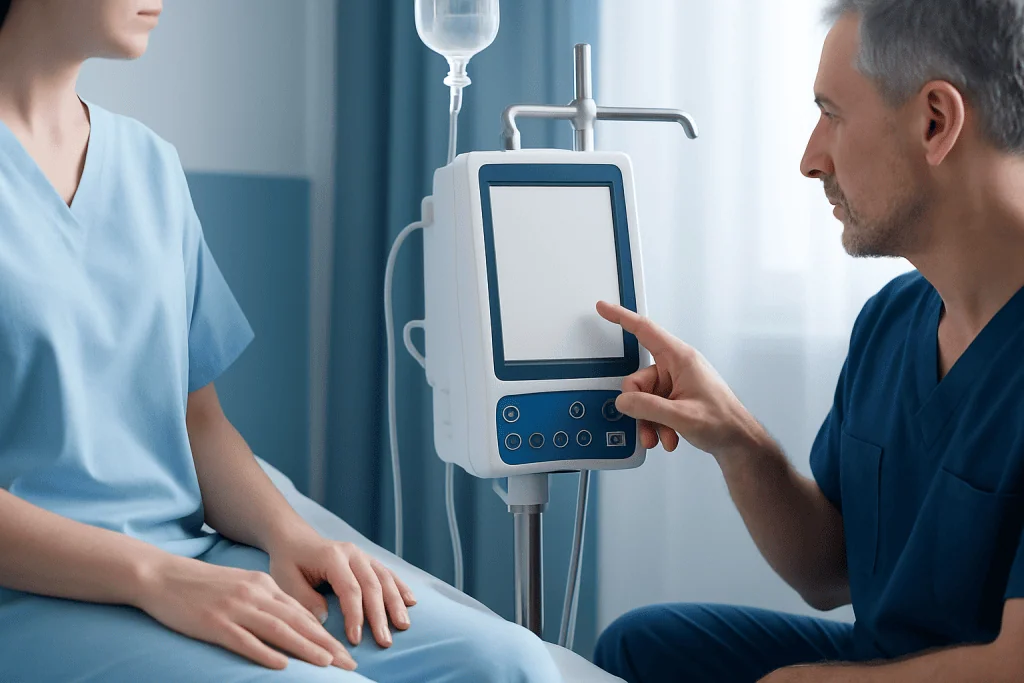
One of the main benefits of patient portals is that they bring several routine tasks together in one place. Rather than calling different departments, a person can often log in and manage practical aspects of care in a few steps. This may save time and reduce confusion, especially for people with ongoing health needs.
Common portal features include:
- Viewing recent and past test results
- Reading visit notes or after-visit summaries
- Sending non-urgent messages to a doctor or care team
- Requesting or managing appointments online
- Checking medication lists and refill requests
- Reviewing allergies, immunizations, and health reminders
- Paying bills or viewing insurance-related information
- Joining telehealth or video appointments when available
Some portals also allow proxy access. This can help parents manage a child’s account, or support a caregiver who assists an older adult or someone with complex medical needs. Privacy rules may affect what can be seen or changed through proxy access, especially for teenagers or sensitive medical information.
Understanding Test Results in a Patient Portal

Many people first use a patient portal to check laboratory or imaging results. Seeing results online can be helpful because it gives quicker access to information and may reduce the wait for a phone call. Patients can often review the date of the test, compare trends over time, and sometimes read a clinician’s comments when they are added.
However, test results can be difficult to interpret without context. A value marked as high or low does not always mean there is a serious problem. Reference ranges differ by laboratory, and doctors interpret results together with symptoms, medical history, medications, age, and other findings. In some cases, a mildly abnormal result may not require treatment at all.
Imaging and pathology reports can be especially confusing because they are written for medical professionals. Terms such as “nonspecific,” “clinical correlation advised,” or “benign-appearing” may sound worrying even when they are not urgent. If a result is unclear, it is sensible to wait for the doctor’s explanation or send a non-urgent message through the portal asking what the findings mean.
Portals are useful for access, but they do not replace professional interpretation. If a patient feels unwell, has worsening symptoms, or is anxious about a result, contacting the care team is appropriate. For severe symptoms, immediate medical attention should be sought rather than waiting for an online reply.
Secure Messages: When to Use Them and When Not To
Secure messaging is one of the most valued portal features. It allows patients to send questions directly to a doctor, nurse, or office staff through an encrypted system rather than regular email. This can be helpful for clarifying instructions, asking about follow-up plans, requesting paperwork, or checking on routine issues such as a medication refill.
Messages are best for non-urgent concerns. A patient might use the portal to ask whether fasting is needed before a blood test, whether a symptom should be monitored, or when the next appointment should be scheduled. Many offices respond within a set number of business days, but response times vary and messages are not usually monitored around the clock.
Secure messages should not be used for emergencies or time-sensitive symptoms. Chest pain, breathing difficulty, sudden weakness, heavy bleeding, signs of stroke, severe allergic reactions, or thoughts of self-harm require urgent medical help. In those situations, the safest action is to call local emergency services or the relevant emergency number and seek immediate care.
It also helps to write portal messages clearly. Including the main question, symptoms, timing, and any changes can make the response more useful. Short, focused messages are often easier for the care team to answer accurately.
Online Appointments, Refills, and Day-to-Day Care
Online appointment scheduling can make healthcare more flexible. Depending on the system, a patient may be able to book a new visit, reschedule an existing one, or join a waitlist for an earlier slot. Portals may also show provider availability, visit type options, and preparation instructions, which helps patients choose the most suitable appointment.
For medication management, many portals allow refill requests or list current prescriptions. This can help people keep track of long-term medicines and reduce missed doses caused by delays. Still, controlled medications or medicines that require monitoring may need extra steps, and some refill requests cannot be completed automatically.
Portals can also support continuity of care. Patients often use them to review discharge instructions, vaccination records, chronic disease monitoring plans, or follow-up recommendations after a clinic visit. In this way, the portal becomes a practical tool for remembering what was discussed and what should happen next.
When a health system offers telemedicine, the portal may act as the entry point for a video visit. This can be especially useful for follow-up appointments, medication reviews, and discussions that do not require a physical examination. Even so, some symptoms still need in-person assessment, testing, or imaging.
Privacy, Security, and Safe Use
Because patient portals contain personal health information, security is essential. Reputable portals use secure logins, encrypted connections, and identity checks to protect sensitive data. Even with these protections, patients also play an important role in keeping their information safe.
Good habits include using a strong unique password, enabling two-factor authentication when available, and avoiding public Wi-Fi for sensitive tasks. It is also wise to log out after each session, especially on a shared device. If a phone is lost or an account seems unfamiliar, the patient should change the password and notify the healthcare provider promptly.
Patients should remember that portal information may not include every detail from every doctor they have seen, particularly if they receive care from multiple independent organizations. A portal usually reflects the records of the healthcare system that provides it. For this reason, it is helpful to keep an updated personal list of medications, allergies, and major diagnoses.
Family access should be handled thoughtfully. Shared devices, saved passwords, and proxy accounts can improve convenience, but they can also affect privacy. Patients who have concerns about confidentiality can ask their provider what information is visible and how access can be adjusted.
Benefits, Limitations, and Tips for Getting the Most from a Portal
Patient portals can support convenience, transparency, and patient involvement in care. They may reduce time spent on phone calls, help patients remember instructions, and make it easier to keep track of long-term health information. For some people, this improved access encourages better preparation for appointments and more informed discussions with clinicians.
At the same time, portals have limits. Medical language can be hard to understand, not all questions can be answered safely online, and digital access may be difficult for people with low vision, limited internet access, language barriers, or less experience with technology. In-person and telephone support remain important parts of accessible care.
To use a portal effectively, patients can check notification settings, keep contact details up to date, and review visit summaries after appointments. It is often helpful to write down questions before sending a message or before an online visit. If a result seems unexpected, patients should avoid assuming the worst and wait for interpretation from a qualified clinician.
Near the end of the care journey, some patients may need specialist evaluation, advanced imaging, or coordinated follow-up across different departments. In these situations, well-designed digital tools can complement in-person medicine. Acibadem International’s multidisciplinary specialists and JCI-accredited hospitals diagnose and treat patients using coordinated digital and clinical systems for international care.
When to Contact a Healthcare Professional
A patient portal is helpful for routine communication, but it is not a substitute for urgent care. Patients should contact a healthcare professional directly if symptoms are getting worse, if a new problem appears after a procedure or medication change, or if they do not understand a test result and need timely clarification.
Immediate medical attention is important for warning signs such as chest pain, severe shortness of breath, sudden confusion, one-sided weakness, fainting, seizures, or heavy bleeding. These symptoms should not be sent as a portal message. Calling emergency services or going to the nearest emergency department is the safer choice.
It is also reasonable to seek help if portal access itself becomes a barrier. For example, a patient may need assistance if they cannot log in, cannot see an expected result, or are unsure whether a message was received. Most healthcare organizations provide technical support and can explain the best way to communicate for different concerns.
Frequently asked questions
Are patient portals secure?
Patient portals are designed to be secure and usually use encrypted connections and protected logins. Patients can add another layer of safety by using strong passwords, enabling two-factor authentication, and logging out on shared devices.
Why do test results sometimes appear before a doctor explains them?
In many systems, results are released automatically once they are available. This gives patients faster access, but it can also mean the report appears before the clinician has reviewed it with full medical context.
Can a patient portal replace doctor visits?
No. A portal is a helpful tool for communication, scheduling, and reviewing information, but it does not replace physical examinations, urgent assessment, or detailed medical decision-making when needed.
What kinds of questions are appropriate for secure messaging?
Secure messaging is best for non-urgent questions, such as follow-up instructions, medication refill requests, or clarification about a routine test. Emergencies or rapidly worsening symptoms should be handled by phone or emergency services instead.
Can family members access a patient portal?
Sometimes. Many healthcare systems offer proxy access for parents, caregivers, or other authorized family members, but what they can see depends on privacy policies and the patient’s consent.
What should a patient do if they do not understand a result in the portal?
They should avoid guessing based only on flagged numbers or technical wording. A non-urgent message to the care team or a follow-up appointment can help place the result in context and explain whether any action is needed.
References
- World Health Organization
- U.S. Office of the National Coordinator for Health Information Technology
- Centers for Medicare & Medicaid Services
- National Institutes of Health
- American Medical Association
This article is for general information only and is not a substitute for professional medical advice. Please consult a qualified doctor about your individual situation.
Explore treatments in Turkey — costs, top hospitals & a free quote
JCI-accredited · board-certified surgeons · reply within 24h
Add us as a Preferred Source to see more of our trusted health content across Google Search, AI Overviews and Discover.