

Sharing Large Imaging Files with Your Doctor in Turkey

Send the complete original DICOM study, not screenshots or phone photos, together with the written radiology report. Keep the folder structure intact, compress it into one ZIP file per study, and use the secure upload link or approved transfer platform your coordinator provides rather than ordinary email. Label each study with your name, the scan date and the body area, and keep a backup copy for your journey.
Your appointment in Turkey is booked, or nearly, and someone has asked you to send your scans. You open the CD or the folder on your laptop and find hundreds of files with strange names. What do you actually send?
This is one of the most common practical questions international patients face, and it matters more than it first appears. A treatment plan built on the wrong file, a blurry photo, a half-copied disc, a report without the images, is a plan built on guesswork. This guide explains what doctors actually need, how to prepare and label your files, which transfer methods are appropriate for medical data, and where the process usually goes wrong. Sharing large imaging files with your doctor in Turkey is not complicated once you understand the logic behind each step.
At a glance
- Best format: the complete original DICOM study, with its folder structure left intact
- Also send: the written radiology report, as a PDF or a clear scanned copy
- Avoid: screenshots, phone photos of a monitor, or JPEG conversions as your only material
- Transfer method: a secure upload link or approved platform, not ordinary email attachments
- Backup: carry a copy on a USB drive or the original disc when you travel
Why sharing large imaging files with your doctor in Turkey matters
When you approach a hospital in Turkey for an opinion or a treatment plan, the written radiology report tells the doctor what another radiologist saw. The images themselves let the doctor look. Those are different things. The report is a summary shaped by the question the original scan was answering; your new doctor may be asking a different question. Location, size, relationship to surrounding structures, changes since a previous scan, evidence of earlier surgery: these are read from the images, on proper viewing software, slice by slice.
For international patients there is a second reason. Sending imaging before you travel lets the medical team assess your case while you are still at home. It shapes which specialist reviews your file, whether your case needs multidisciplinary discussion, and whether the imaging you have is recent and complete enough to plan from. An online pre-travel doctor review depends almost entirely on the quality of what you send: good files produce a useful review, poor files produce a request for better files and a delay.
Sharing large imaging files with your doctor in Turkey early, rather than in the week of your flight, is the single easiest way to protect your own schedule. The aim is plainly practical: the right material, in the right format, with enough time for a responsible review.
DICOM files, radiology reports and photos are not the same thing
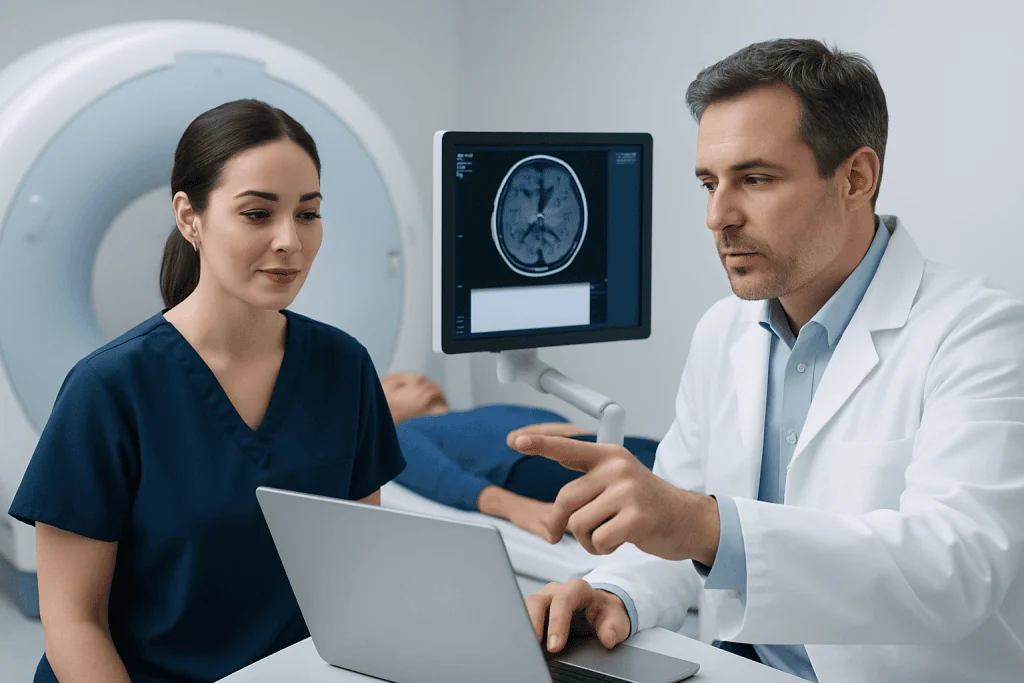
Medical scans: MRI, CT, PET-CT, most digital X-rays and many ultrasound studies, are stored in a format called DICOM. A DICOM study is not a picture. It is a structured package containing the full image series, often hundreds or thousands of slices, along with technical data about how the scan was acquired. Medical viewing software uses all of it: the doctor can scroll through the anatomy, adjust contrast and measure findings. None of that is possible with a screenshot.
| What you have | What it actually is | How useful it is |
|---|---|---|
| DICOM study (CD, USB, portal download) | The complete original scan in medical format | The gold standard: this is what doctors want |
| Radiology report (PDF or paper) | A written summary by the reporting radiologist | Important context, but not a substitute for the images |
| Screenshots or phone photos | A few selected frames, compressed and cropped | A quick reference at best; not enough for a proper review |
| Printed films | Selected images on physical film | Better than nothing, but incomplete and hard to share digitally |
The written report still matters. Send it alongside the images, as a PDF or a clear scanned copy. If it is not in English or Turkish, mention this when you send it; translation is usually handled as part of preparing your file, not something you need to arrange alone.
If you are not sure what you actually have, describe the source, a hospital CD, a USB drive, an online portal, printed films, before uploading anything. That one sentence often saves a week of back-and-forth.
How to prepare your imaging files before sending
Start by locating the original source of each scan. This may be a disc from the imaging centre, a USB drive, a download from a hospital portal, or a file package from your local clinic. If you only ever received a report, go back to the imaging centre and request the complete DICOM images. You are entitled to ask for your own imaging for personal medical use, and imaging centres handle these requests routinely, say clearly that you need the full DICOM study, not printed images or a summary.
Then resist the urge to tidy. A DICOM study often contains dozens of small files and subfolders that only make sense together. Deleting files that look unimportant, or renaming things to be “clearer”, can stop the study opening at the other end. The safe approach is to copy the entire folder exactly as it is, then compress that whole folder into a single ZIP file.
- Check that the name and date of birth inside the study match your passport and other medical records, mismatches cause identification queries later.
- Name the ZIP file clearly, for example MRI_Brain_2025-01-12 or CT_Chest_2024-11-03.
- Include the radiology report in the same upload where you have it.
- Do not convert images to JPEG or edit them unless you are specifically asked to.
- If you have several scans, keep one folder per study, organised by date and body area, and send older comparison scans as well: a finding often means little in isolation and a great deal next to last year’s image.
Safe ways to send large files internationally
Can you send MRI images by email? Usually not, and usually you should not try. A full MRI or CT study commonly runs to hundreds of megabytes or several gigabytes, far beyond most email attachment limits, and ordinary email is a poor place for sensitive medical data in any case. The standard approach is a secure upload link or an approved transfer platform provided by the hospital’s patient services team. We cover the security side in detail in how to send your medical files securely before treatment in Turkey.
If you use your own cloud storage, keep the link private and shared only with the intended recipient. Do not place medical files in public folders, and do not paste open links into group chats. When you share a link, confirm whether the recipient needs a password or download permission, and check whether the link expires: an expired link discovered on the day of review is a delay nobody needs. If a file is password-protected, send the password separately from the link, not in the same message.
You also have rights over how this data is handled. Turkish law regulates the processing of health data, and hospitals need your consent to share your records with third parties. If you want to understand what you are consenting to when you upload, the guide on medical records privacy in Turkey explains consent, sharing and patient rights in plain terms.
Once files arrive, the coordinator handling your case can confirm receipt and check that the study opens correctly. They may also come back to you if the medical team needs newer imaging, an additional sequence, or a clearer copy of the report: this is normal, and finding out before you travel is precisely the point of sharing large imaging files with your doctor in Turkey ahead of time.
What to include alongside your images
Scan files are most useful when they are attached to the right person and the right question. With the imaging, include your full name as it appears in your passport, your date of birth, nationality, contact details, and the diagnosis or the reason you are seeking review. If you are writing on behalf of a relative, say so, and give the patient’s own details rather than your own.
A short timeline helps enormously. When did symptoms begin? When was each scan taken? Has any treatment already been given? Are there earlier scans for comparison? Doctors often need to know whether a finding is new, stable or changing, and that judgement is only possible when the material is dated and ordered. One clear page is better than ten scattered messages.
Mention medications you take, implanted devices, previous operations and known allergies in the same summary. You do not need to write a medical essay; a structured page is enough, and it doubles as preparation for the consultation itself. The guide on how to prepare for a doctor consultation in Turkey covers how to turn this summary into a productive appointment.
If new imaging is needed in Turkey
Sometimes the review concludes that your existing scans are too old, incomplete, or taken with a protocol that does not answer the current question. In that case the team may plan new imaging for your visit rather than asking you to repeat scans at home. This is a normal part of assessment, and knowing about it in advance lets you build it into your travel schedule.
Two questions come up constantly here. First: can foreigners use hospitals in Turkey? Yes. Turkish hospitals, particularly private groups with international patient departments, treat foreign patients routinely, and imaging can be performed during your visit like any other service. Second: what does a scan or a consultation cost? No honest answer can be given as a single figure, because the price depends on the type of scan, the body region, whether contrast material is used, whether sedation is needed, and whether the imaging is part of a broader diagnostic work-up or treatment plan. The same applies to consultation fees, which vary by department and by what the visit involves. What you can expect is a written, itemised quote prepared for your specific case once the team knows what is actually needed, which is one more reason to send complete imaging early, so the plan and the quote reflect reality rather than assumptions.
Common problems and how to avoid delays
The most frequent delay is simple: the patient uploads only the report when the doctor needs the images. The second most frequent is an incomplete study: a disc copied partially, a folder with missing files, or a ZIP that was interrupted mid-upload. Before you send anything, check that the copy completed fully; if you have DICOM viewing software or the viewer included on the disc, open the study once to confirm it works.
File size causes its own problems. On a slow connection, upload overnight or use a wired connection where possible, and do not close the laptop or the browser tab before the transfer finishes. If an upload fails repeatedly, splitting the material into one ZIP per scan date usually solves it; if not, ask whether an alternative approved method exists for your case.
Password-protected files sent without the password, links that expire before anyone opens them, and studies labelled only “scan.zip” all cost time. Each is avoidable with thirty seconds of care.
Finally, allow real time for review. Depending on your case, the imaging may pass through a specialist physician, a radiologist, a surgical team or a multidisciplinary board. Sending files a day before you want an answer compresses all of that into a rush. Sending them a week or two early gives the team room to do the job properly, and gives you clearer ground for travel decisions.
Step by step
- Collect the original imaging study. Ask your local hospital or imaging centre for the full scan in DICOM format, on a disc, a USB drive, or as a portal download. If all you have is printed film or screenshots, request the digital study before sending anything.
- Add the radiology report. Include the written report as a PDF or a clear scanned copy. If it is in another language, mention this so translation can be arranged where needed.
- Organise by date and body area. One clearly labelled folder per study, for example CT_Abdomen_2024-10-08, with the original DICOM folder structure left untouched.
- Compress each study into one ZIP file. Do not delete the small files inside the folder: the study may not open without them.
- Use the approved secure transfer method. Not ordinary email attachments. Use the secure upload link or platform your international patient coordinator provides, and send any password separately from the link.
- Attach your details and your question. Full name, date of birth, contact information, and a brief note on why the scans are being sent: a second opinion, surgical planning, oncology review, or another purpose.
- Confirm receipt and readability. Ask for confirmation that the files arrived and open correctly. If newer or additional imaging is needed, you can arrange it before your trip instead of discovering the gap after arrival.
Your checklist
- Full DICOM imaging files, not only screenshots or photos
- Radiology report for each scan
- Patient’s full name and date of birth, matching the passport
- Scan date, body area and imaging type clearly labelled
- Previous comparison scans, if any exist
- One-page medical history or timeline
- Current medication list and known allergies
- Secure upload link or approved transfer method
- Password or access permission shared separately, if required
- Backup copy on USB or the original disc for your journey
Key takeaways
- Doctors need the full DICOM study to review a case properly; a report alone or a set of screenshots is not a substitute.
- Keep the original folder structure intact and compress each study into one clearly named ZIP file.
- Large medical files travel by secure upload links or approved platforms, not by ordinary email.
- Clear labelling, matching patient details and a one-page timeline prevent most avoidable delays.
- Sending files early gives the medical team time for real review, and gives you firmer ground before booking flights.
- Carry a backup copy of your imaging when you travel, even after a successful upload.
Frequently asked questions
Can I send MRI images via email?
Usually not. A full MRI study is typically far larger than email attachment limits allow, and ordinary email is not an appropriate channel for sensitive medical data. Use a secure upload link or an approved transfer platform instead. If someone asks you to email a scan, clarify first whether they mean the report, which is small, or the full image set, which is not.
What is a DICOM file and why does it matter?
DICOM is the standard format for medical imaging such as MRI, CT, PET-CT and most digital X-rays. It contains the complete study, every slice, plus technical details about how the scan was taken, and opens in medical viewing software that lets the doctor scroll, measure and compare. A screenshot carries none of that.
Is the radiology report enough on its own?
It helps, but often it is not enough. The report reflects what the original radiologist looked for; your new doctor may need to examine the images with a different question in mind, or compare them against earlier scans. Where possible, send both the DICOM images and the written report together.
My scans are on a CD. What do I do?
Copy the entire contents of the disc into a folder without changing anything, then compress that folder into a single ZIP file. If your computer has no CD drive, a local clinic, imaging centre or trusted technical helper can transfer the contents to a USB drive or cloud storage. Keep the original disc as a backup for your journey.
Can foreigners go to hospital in Turkey?
Yes. Foreign patients are treated routinely in Turkish hospitals, and larger private groups run international patient departments that handle language support, records and appointment coordination. Imaging, consultations and treatment are all available to international patients, planned in advance or arranged during a visit.
How much does an MRI cost in Turkey?
There is no single figure, and any guide that quotes one is guessing. The price depends on the body region scanned, whether contrast material is used, the equipment and protocol required, and whether the scan stands alone or forms part of a wider diagnostic work-up. Hospitals prepare an itemised quote for your specific case once the medical team knows what is needed, which is another reason to share your existing imaging early.
Should I still bring my imaging files with me after uploading them?
Yes. Bring a copy on a USB drive, or the original disc if you have one. Uploads can occasionally be incomplete, links can expire, and additional departments may want access during your visit. A physical backup costs nothing to carry and prevents avoidable delays.
How early should I send my scans before my appointment?
As early as you reasonably can. A few days may suffice for straightforward appointment preparation, but cases needing specialist or multidisciplinary review take longer, and any gaps found in your imaging need time to fix. Ask about realistic timing for your planned visit date and department when you send your files.
Add us as a Preferred Source to see more of our trusted health content across Google Search, AI Overviews and Discover.

Update history
- PublishedJune 22, 2026
- Medical review approvedSeptember 13, 2026
- Last content updateSeptember 12, 2026
References2
- MRI Scans: MedlinePlus, U.S. National Library of Medicine medlineplus.gov
- CT Scans: MedlinePlus, U.S. National Library of Medicine medlineplus.gov
More Patient Guides

CyberKnife Radiosurgery in Turkey: Candidacy, Treatment Schedule, and Travel Plans
CyberKnife radiosurgery in Turkey involves eligibility review, several planning steps and short outpatient visits; international patients can arrange care in Istanbul.

Traveling to Turkey for Biopsy Review: What Happens Before Treatment Is Confirmed
Biopsy review in Turkey helps confirm your diagnosis before treatment, using pathology slides, reports and specialist assessment in Istanbul.

Flying to Turkey with Recent Scan Results: How to Organize Reports and Images
Organize recent scan results for travel to Turkey by bringing reports, original image files, dates, and a clear medical summary for your…

Complications During Treatment Abroad: How International Patients in Turkey Can Prepare
Complications during treatment abroad can be managed with planning, clear contacts and follow-up support for international patients in Turkey.