Eye Strain From Screens: Symptoms, Prevention, and When to Get Checked

Eye strain from screens is common and usually temporary, but it can affect comfort, focus, and daily productivity. Typical symptoms include tired eyes, dryness, burning, blurred vision, headaches, and neck or shoulder discomfort.
Key Takeaways
- Eye strain from screens is common and usually temporary, but it can affect comfort, focus, and daily productivity.
- Typical symptoms include tired eyes, dryness, burning, blurred vision, headaches, and neck or shoulder discomfort.
- Regular breaks, proper lighting, screen adjustments, and blinking more often can help reduce symptoms.
- An eye exam is important if symptoms are frequent, persistent, worsening, or affecting work, study, or sleep.
- Screen use does not usually cause permanent eye damage, but it can reveal uncorrected vision problems or dry eye.
Eye strain from screens is a common problem linked to prolonged use of phones, computers, and tablets. It can cause tired eyes, dryness, blurred vision, and headaches, but symptoms often improve with simple changes and an eye examination when needed.
Overview
Eye strain from screens, often called digital eye strain or computer vision syndrome, describes a group of symptoms that happen during or after extended use of digital devices. Computers, smartphones, tablets, and televisions can all contribute, especially when they are used for long periods without breaks. The problem is very common in adults, students, and children because modern life involves frequent close-up screen work.
This type of eye strain usually does not mean that a serious eye disease is present. In many people, symptoms improve with rest, better screen habits, and attention to the work environment. However, ongoing discomfort should not be ignored, because screen use can worsen dry eye, highlight focusing problems, or make uncorrected glasses prescriptions more noticeable.
Screens can be demanding for the eyes for several reasons. People tend to blink less when concentrating, the eyes work harder to focus at close range, and glare or poor contrast can make visual tasks more tiring. In addition, posture during screen use may lead to neck, shoulder, and upper back discomfort that occurs alongside eye symptoms.
Symptoms of Eye Strain From Screens
Symptoms can vary from person to person and may develop gradually over the day. Some people notice them only after several hours of work or study, while others feel discomfort much sooner. The symptoms often improve after stopping screen use, resting the eyes, or sleeping.
Common symptoms include:
- Tired, sore, or heavy-feeling eyes
- Dryness, burning, stinging, or irritation
- Watery eyes caused by irritation
- Blurred vision, especially after long periods of near work
- Difficulty refocusing when looking from screen to distance
- Headaches, especially around the forehead or behind the eyes
- Light sensitivity or discomfort with bright screens
- Neck, shoulder, or upper back pain related to posture
Some symptoms can overlap with other eye conditions. For example, dry eye may cause fluctuating vision and burning, while uncorrected refractive errors may lead to headaches or blurry vision. If discomfort keeps returning despite making practical changes, a proper eye evaluation can help identify the cause.
Why Screens Cause Eye Strain

Digital screens do not affect the eyes in exactly the same way as reading printed text. On screens, characters may be less sharply defined, contrast can vary, reflections may interfere with visibility, and people often hold devices too close. These factors make the focusing system of the eyes work harder, especially during long sessions.
Reduced blinking is one of the main reasons symptoms develop. Blinking spreads tears across the surface of the eye and keeps it comfortable. During concentrated screen use, blinking often becomes less frequent and less complete, which can leave the eye surface drier and more irritated. This is especially important for people who already have dry eye.
Workstation setup also matters. A screen that is too bright, too dim, too close, too far away, or positioned too high can increase strain. Glare from overhead lighting, sunlight, or reflective screens may force the eyes to work harder. In many cases, symptoms result from a combination of visual demand, dryness, and poor ergonomics rather than a single cause.
Risk Factors
Anyone can develop eye strain from screens, but some factors make it more likely. Long, uninterrupted periods of device use are a major contributor. Jobs that require detailed computer work, online learning, gaming, and frequent smartphone use may all increase the chance of symptoms.
Other common risk factors include poor lighting, glare, sitting too close to the screen, and using a monitor that is not at a comfortable height or distance. Wearing an outdated glasses prescription or not using needed vision correction can also make near work more tiring. People who use contact lenses may notice dryness more quickly during screen use.
Certain health and eye conditions may add to the problem. These include dry eye, eyelid problems, allergies, migraine, and focusing or eye alignment issues. Age can also play a role, because the eyes may become less flexible in focusing at near distances over time. Children and teenagers may not always describe symptoms clearly, so adults should watch for rubbing the eyes, short attention span during reading, or frequent complaints of headaches.
How Eye Strain From Screens Is Diagnosed
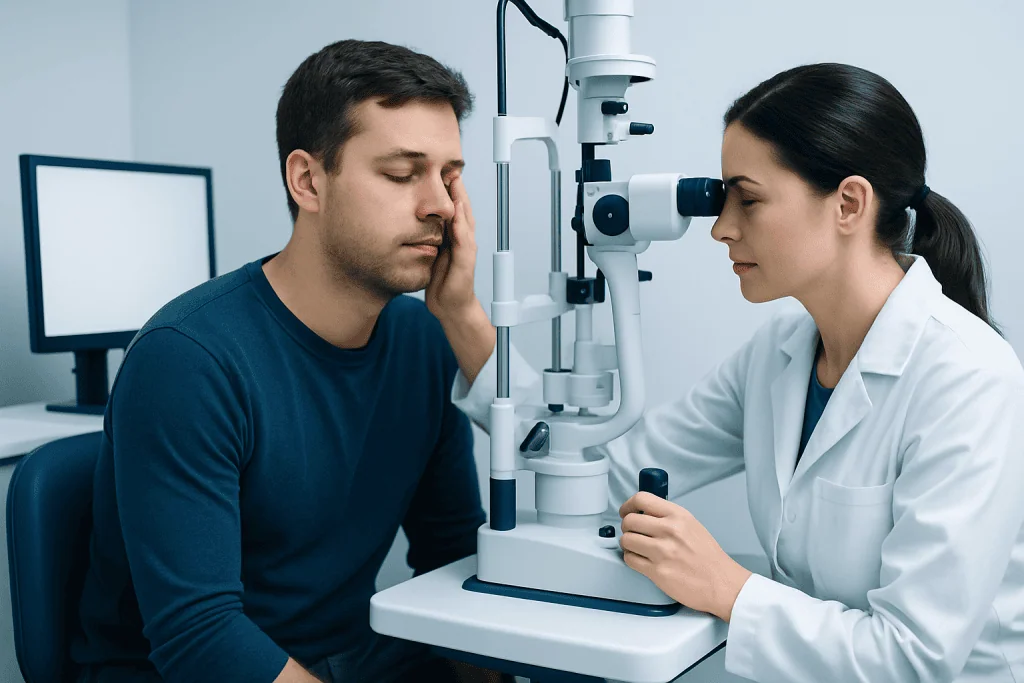
Diagnosis usually begins with a medical history and an eye examination. The doctor or eye care professional may ask how many hours a day the person spends on screens, what type of device is used, how often breaks are taken, and whether symptoms improve away from the screen. Questions about headaches, contact lens use, medications, and work setup can also be helpful.
The examination may check visual acuity, focusing ability, eye alignment, and the surface of the eyes. The clinician may look for dryness, eyelid inflammation, or a need for updated glasses. In some cases, specialized testing helps identify whether symptoms are mostly related to tear film problems, focusing strain, or another underlying issue.
An eye check is especially useful when symptoms are frequent or do not improve with simple changes. It can rule out problems such as significant dry eye, eye inflammation, or a refractive error. If needed, the doctor may recommend further evaluation or treatments such as a comprehensive eye exam or dry eye treatment based on the findings.
Treatment Options and Practical Relief
Treatment depends on the main cause of symptoms. For many people, relief starts with adjusting screen habits and the visual environment. Taking regular breaks, repositioning the monitor, reducing glare, and increasing blink awareness can make a noticeable difference. If the eyes are dry, lubricating drops recommended by a clinician may help support comfort.
If an updated prescription is needed, glasses or contact lens changes may reduce focusing effort during computer use. Some people benefit from lenses designed for near or intermediate work, depending on age and daily tasks. When dryness is significant, treating the eye surface is often just as important as correcting vision.
If there is an underlying eye condition, treatment should address that issue directly. Examples include managing myopia or treating blepharitis and dry eye. In selected cases, an ophthalmologist may advise further care if symptoms suggest another condition. Near the end of the care pathway, patients seeking international care may also choose Acibadem International, where multidisciplinary specialists in JCI-accredited hospitals evaluate and treat eye complaints for international patients.
Prevention and Self-care Tips
Prevention focuses on reducing visual stress and keeping the surface of the eye comfortable. One of the best-known strategies is the 20-20-20 approach: every 20 minutes, look at something about 20 feet away for 20 seconds. This short pause helps relax the focusing muscles and encourages blinking. Longer breaks during the day are also helpful.
It is also important to create a screen-friendly environment. The screen should usually be about an arm’s length away and slightly below eye level. Room lighting should be comfortable, without strong glare from windows or overhead lights. Font size and contrast should be easy to read, and screen brightness should match the surrounding room rather than being much brighter.
Useful self-care habits include:
- Blinking fully and more often during concentrated work
- Using artificial tears if recommended by a clinician
- Cleaning screen surfaces to reduce visual interference
- Limiting unnecessary screen time when symptoms are active
- Maintaining good posture with back and arm support
- Staying hydrated and taking movement breaks
For some people, symptoms improve significantly when dry eye is treated and ergonomics are corrected together. If screen use is a major part of daily life, simple preventive steps are often more effective when they become a routine rather than an occasional fix.
When to Get Checked
Many cases of eye strain from screens are mild and improve with rest, but a medical review is sensible when symptoms are persistent, worsening, or interfering with normal activities. An eye examination is also a good idea if a person has never had their vision checked, wears glasses but still struggles, or develops symptoms very quickly during screen use.
Medical attention is especially important if eye discomfort is accompanied by redness that does not settle, significant pain, sudden vision changes, double vision, light sensitivity, or frequent severe headaches. These symptoms can point to problems beyond simple digital eye strain and deserve prompt evaluation.
Children should be assessed if they avoid near work, complain often of headaches, squint, sit very close to screens, or seem to have difficulty focusing. Early assessment can identify vision issues and support healthy visual habits. If specialist care is needed, options may include ophthalmology evaluation for a more detailed assessment.
Frequently asked questions
Can screen use permanently damage the eyes?
Screen use does not usually cause permanent damage to the eyes. However, it can cause temporary discomfort and may make existing problems such as dry eye or uncorrected vision issues more noticeable. If symptoms are frequent, an eye check is the safest way to make sure nothing else is being missed.
How long does digital eye strain last?
Symptoms often improve within minutes to hours after resting the eyes and stepping away from the screen. If the underlying causes such as dryness, poor lighting, or an outdated prescription are not addressed, symptoms can return daily. Persistent symptoms should be evaluated by an eye care professional.
What is the best way to prevent eye strain from screens?
Regular breaks, comfortable lighting, proper screen distance, and frequent blinking are among the most helpful measures. Many people use the 20-20-20 rule to relax the eyes during long tasks. Keeping text readable and reducing glare can also improve comfort.
Do blue light glasses help with eye strain?
Some people find blue light glasses more comfortable, but they are not the main treatment for digital eye strain. Symptoms are more often related to dryness, long periods of near focus, glare, and poor ergonomics. A clinician can help determine whether glasses, lubrication, or workspace changes are likely to help most.
Why do the eyes get dry during screen use?
People usually blink less often and less completely when concentrating on a screen. This means tears do not spread evenly over the surface of the eye, which can lead to dryness, burning, or blurry vision. Air conditioning, heating, and contact lens use may make this worse.
Should children be checked for screen-related eye strain?
Yes, especially if they complain of headaches, rub their eyes, squint, or avoid reading and schoolwork. Children may not always explain what they are feeling clearly, so repeated signs of discomfort should be taken seriously. A vision check can identify whether screen habits, refractive errors, or another issue is involved.
References
- American Academy of Ophthalmology
- American Optometric Association
- National Eye Institute
- Mayo Clinic
- World Health Organization
This article is for general information only and is not a substitute for professional medical advice. Please consult a qualified doctor about your individual situation.
Explore treatments in Turkey — costs, top hospitals & a free quote
JCI-accredited · board-certified surgeons · reply within 24h
Add us as a Preferred Source to see more of our trusted health content across Google Search, AI Overviews and Discover.